Coming soon to the App Store & Google Play
When does the debt end?
See it month by month.
Enter your cards, loans, overdraft, deposits and salary; Son Taksit runs the next 36 months, one by one, by the bank’s rules. It answers two questions: when does cash get tight, and when does the debt end?
The app is still in development; features may change in the release version.
How it works
01
Set up your structure
Enter your cards, loans, overdraft, accounts and salary. Quick setup asks two or three questions per product; leave what you don’t know blank and the app fills in a default and tells you what it assumed.
02
Write expenses once
Rent, bills, subscriptions: enter your recurring expenses once, with the card or account they come out of. Each month you only add what is specific to that month.
03
Read the projection
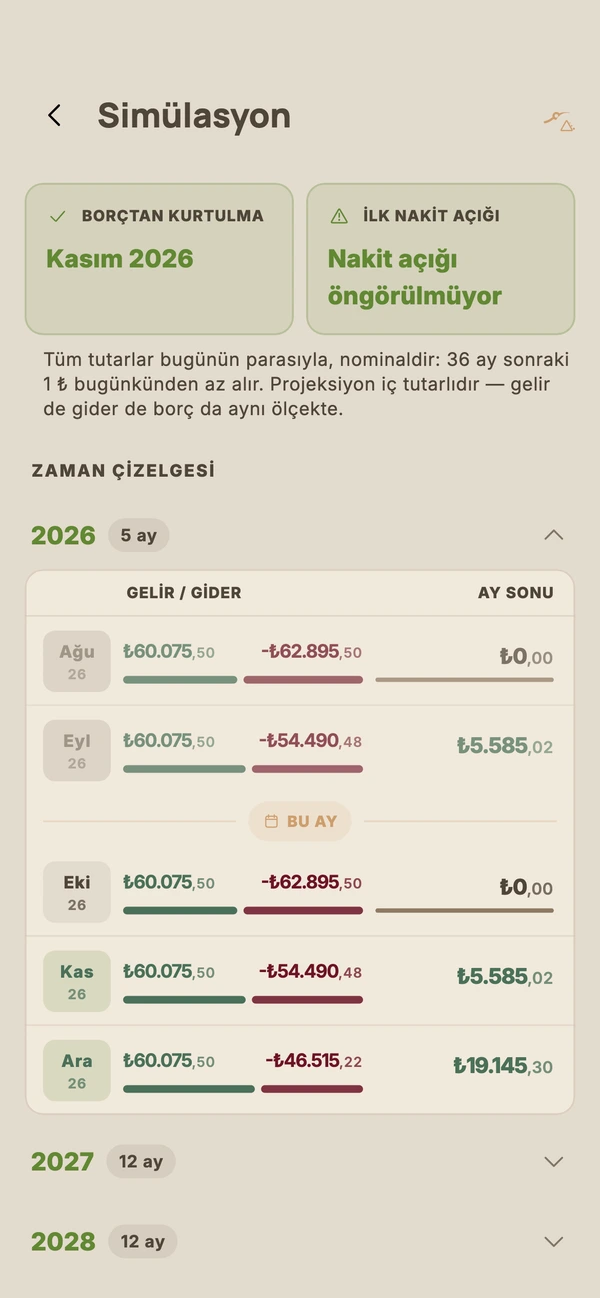
36 months, one by one: see which month cash gets tight, when each debt closes and the month you are debt-free.
04
Close the month
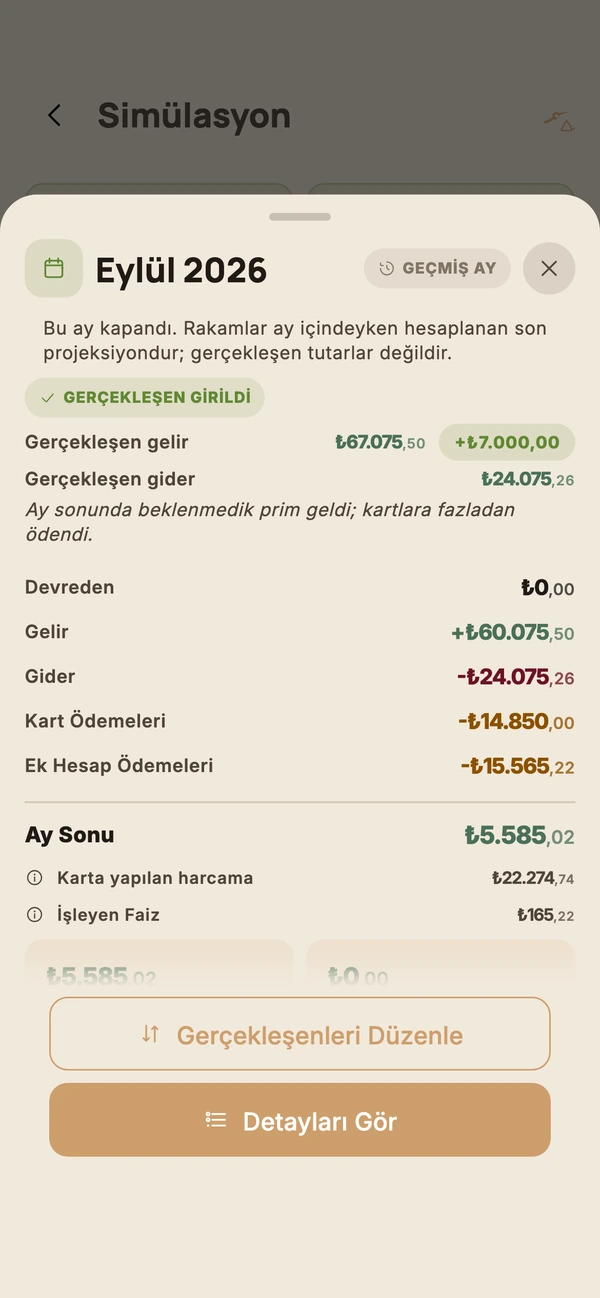
When a month ends its plan goes into the ledger. You enter what you actually paid; your debts move on from there and the plan catches up with reality.
Explore with sample data
Want to look around before entering anything? There are four ready-made households — from Elif, who lives alone, to the four-person Yıldırım family. They are all inside the app; clear them whenever you like and enter your own.
Elif
24, junior designer · Kadıköy
When will I pay off the card?
Hakan & Gamze
Minimum-wage couple · Gebze
How much interest are we paying on the overdraft?
The Yıldırım family
Two salaries, two kids · Ankara
How much is left over once the loans end?
Murat & Seda
Call centre + part-time · Bursa
Where does it break, and which one do I pay off first?
Features
36-month cash flow
Every month’s inflow, outflow and closing balance. See which month cash goes negative and where within the month it bottoms out.
The month you are debt-free
Cards, overdraft and loans run together; see which debt closes in which month and when the last instalment is paid.
Past months
When a month ends, its projection goes into the ledger. Enter what you actually paid last month and your debts update to match.
Seven payoff strategies
Avalanche, snowball, hybrid, cash flow, utilisation, manual order and minimum only. Switch strategy and all 36 months are recalculated.
Overdraft, day by day
Overdraft interest accrues on the end-of-day balance; payday clears the negative, rent day opens it again. The app calculates it the same way.
Early loan payments
Pay an instalment early, make a partial payment or close the loan: see the discount, the mortgage prepayment fee and the insurance refund before you pay. The payment is a record you can undo later.
Spending analysis
The next 12 months of spending by category and by card. Car tax, insurance and property tax months show up on the chart; what your car and home cost you per month, on one card.
Says what it doesn’t know
If a card is about to be blocked, or an overdraft or loan is about to be called in, the projection stops there and warns you — it doesn’t make up what comes next.
Raises, rent, rate and limit changes
Enter a salary raise, rent increase, interest or limit change in advance; give a cost that differs in some months its own amount for those months. If the rules are set to change (minimum payment rate, the central bank’s interest cap), you can add a dated forecast to the rule too. Templates included.
FX, gold and your own unitsPlus
A dollar account, gold, quarter-gold coins or a unit you define yourself. With Plus, rates update weekly on their own, or you can type them in; a template from the central bank’s market survey fills in rate forecasts.
Payment-due reminder
Card due date, statement date, loan instalment, deposit maturity: one or three days before, at 7 pm. By default the amount is not shown in the notification.
Encrypted database
Entries are stored on your phone encrypted with AES-256; the key sits in the phone’s secure store.
Backup to your own Drive
The backup goes only to your Google account’s app folder; the app cannot see any other file in your Drive. Changing phones, restore with the same account. Manual backup is free, automatic backup is Plus.
It calculates by the bank’s rules.
The card minimum depends on the limit, the interest tier on the statement balance. Overdraft interest accrues daily. Deposit withholding tax depends on the term. No interest is charged on interest for card and overdraft debt. The rules come from current Turkish banking legislation; the engine is tested against sample scenarios worked out by hand from that legislation.
By the book
Minimum payment rates, interest tiers, KKDF and BSMV taxes, early-payment discounts, withholding tax: the rules your bank follows. Where a rule could not be verified, the assumption is stated on screen.
Says what it doesn’t know
Where life stops fitting the rules — a blocked card, a loan called in — the projection warns you instead of carrying on.
Says it is an estimate
The result is an estimate, not your bank statement. Check it against your statement before a big decision.
Use it for free, or upgrade to Plus.
Free
- All your Turkish-lira assets and debts
- 36-month projection
- Seven strategies
- Past months and actuals
- Early loan payments
- Spending analysis
- Month-close and payment-due reminders
- Manual Google Drive backup and restore
- App lock and hidden amounts
Plus
- FX, gold and your own units
- Excel and PDF
- Automatic Drive backup
- Excluding an asset from the calculation
The yearly plan starts with a 7-day free trial. Prices are on the App Store and Google Play.
When Plus ends, nothing is deleted. Entries made with a Plus feature stay where they are; they just leave the calculation, and the app names them. Come back to Plus and they all return on their own.
Where is your data?
- On your phone, encrypted. The app has no server; no number you enter ever reaches us.
- No bank connection. No passwords, texts or statements; you enter the data yourself.
- No account. No sign-up, no email.
- Online for four things only: the weekly exchange-rate update with Plus, the Google Drive backup if you turn it on, the Plus subscription and a crash report if the app crashes.
- No ads. No advertising ID; your data is never sold.
Screens
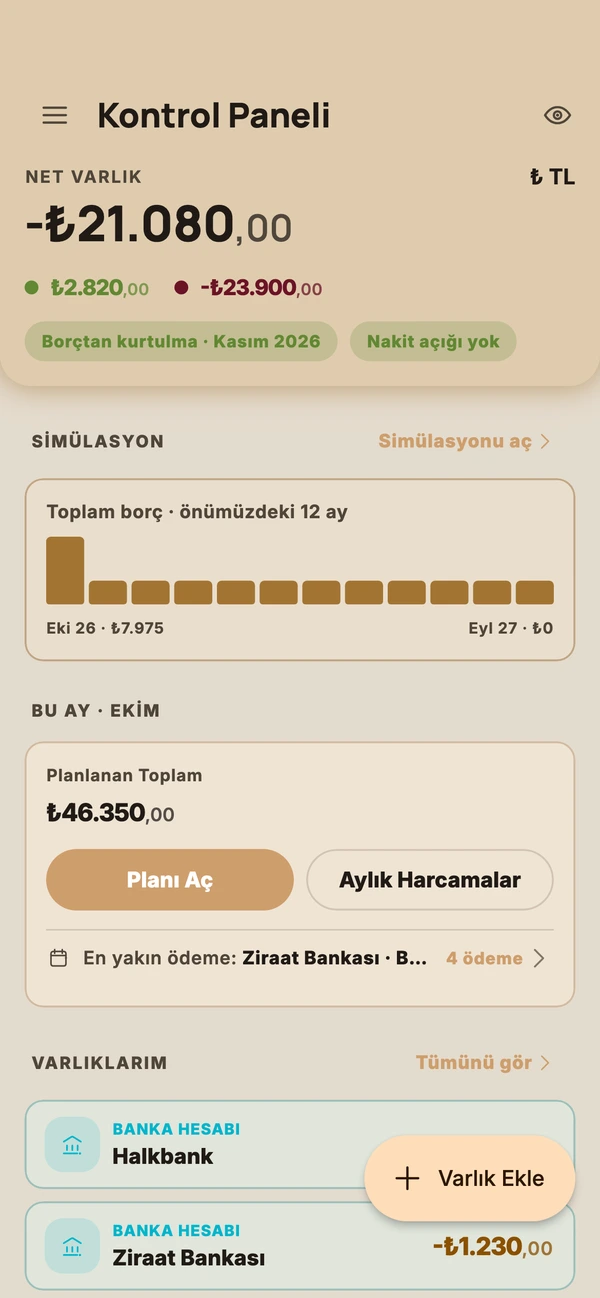
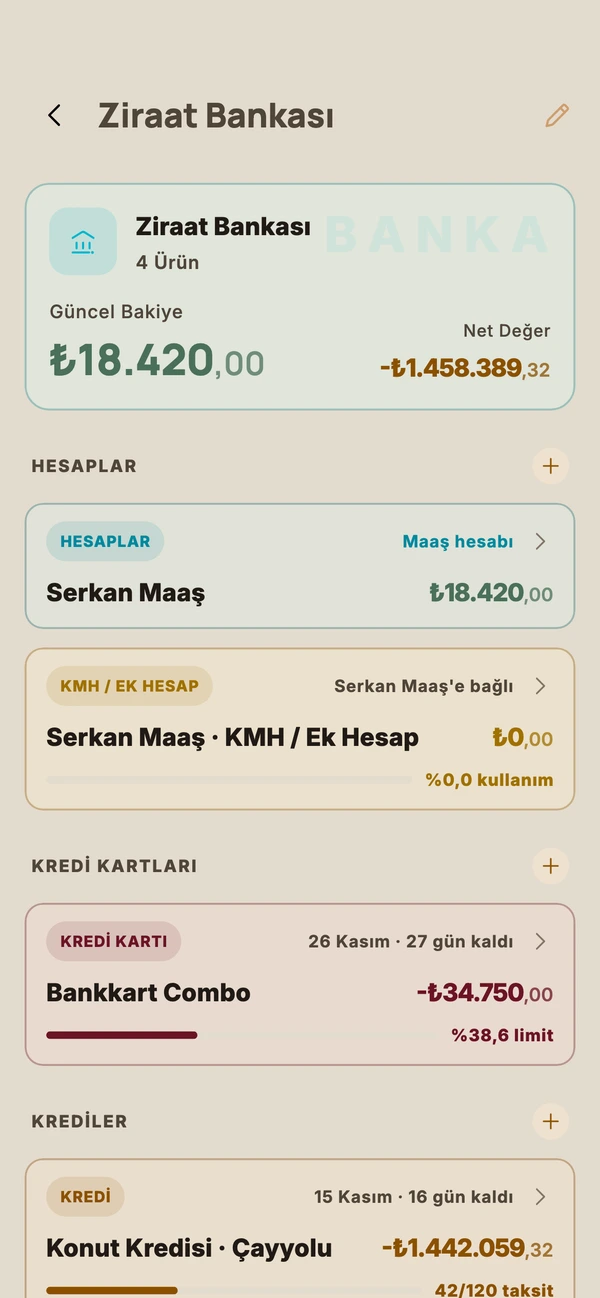
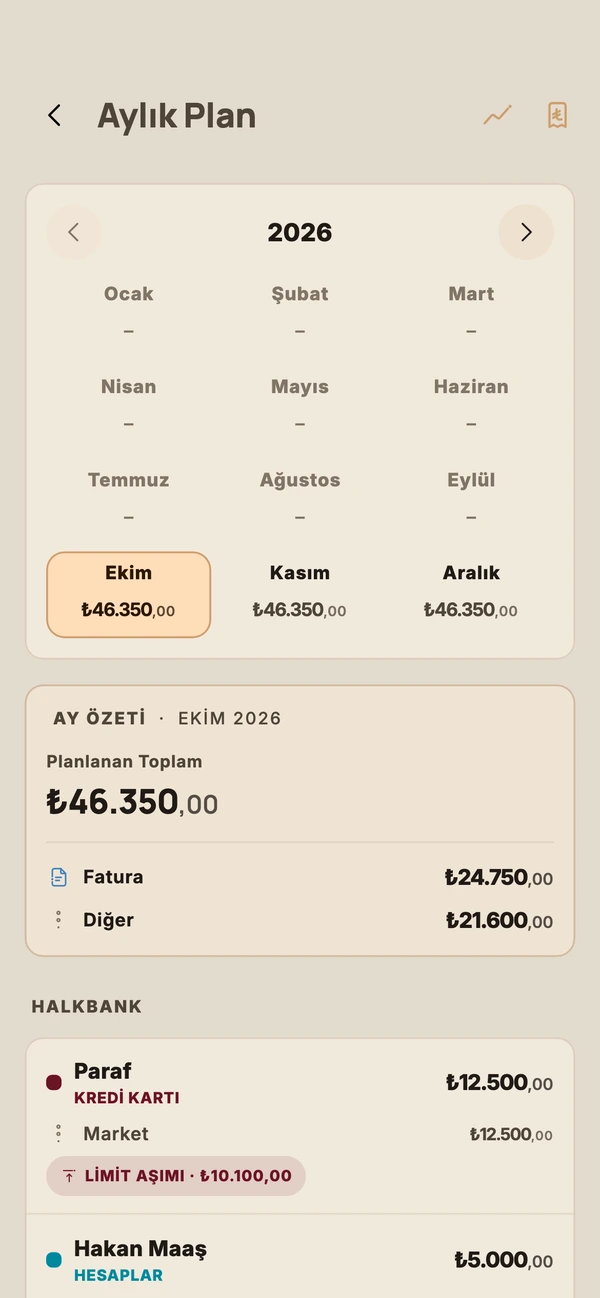
Overview Simulation 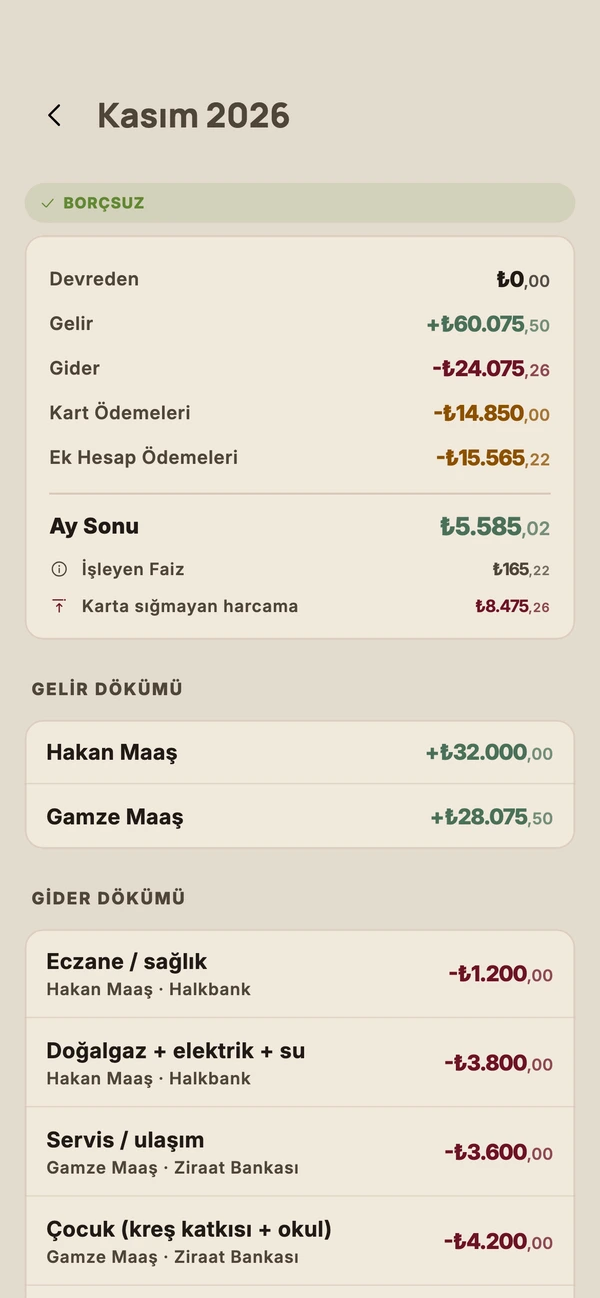
Month detail Bank detail 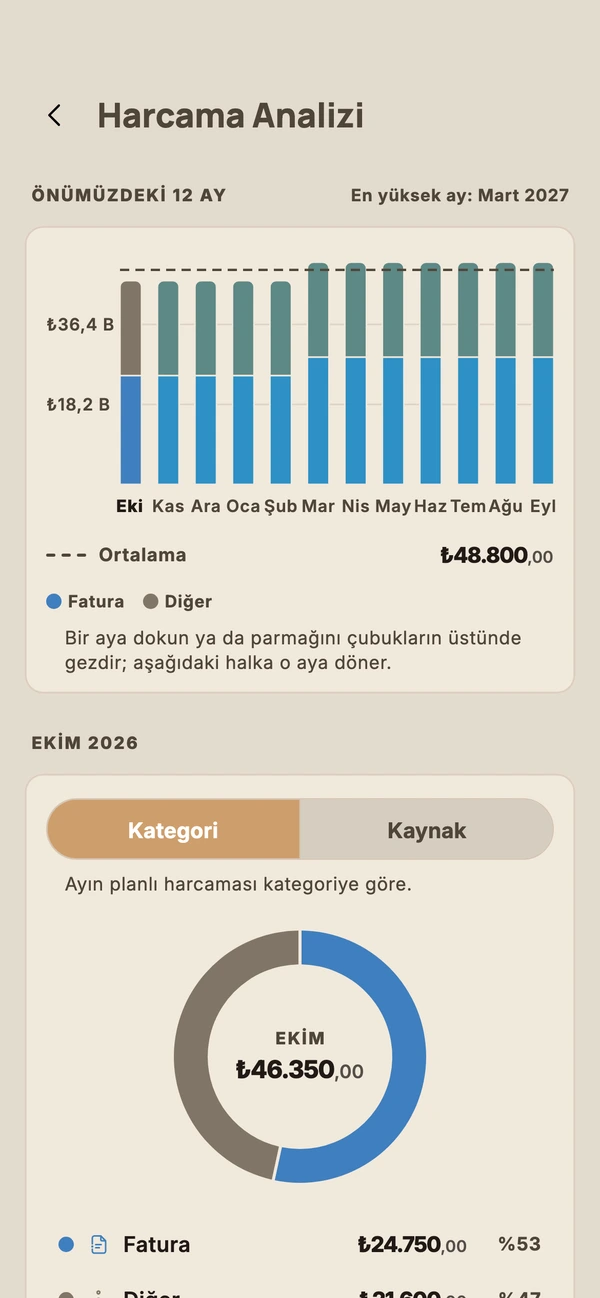
Spending analysis Past month
Frequently asked
Is Son Taksit free?
Yes. All your Turkish-lira assets and debts, the 36-month projection, seven strategies, past months and early loan payments are free. Payment-due reminders are free too. FX and gold, Excel/PDF, automatic backup and excluding an asset from the calculation are part of the Plus subscription; the yearly plan starts with a 7-day free trial.
What happens to my data if I cancel Plus?
Nothing is deleted. Entries made with a Plus feature stay where they are and simply leave the calculation; the app names the ones that are left out. Come back to Plus and they return on their own. Manual backup and restore are always free.
Does it connect to my bank?
No. Son Taksit connects to no bank and never asks for a password or text code. You enter your cards, loans and accounts yourself; quick setup asks two or three questions per product, and any field you leave blank gets a default.
How accurate are the calculations?
The rules come from current legislation: minimum payment rates, interest tiers, KKDF and BSMV taxes, daily overdraft interest, withholding tax. But the result is an estimate: an item you left out, your bank’s value-date and cut-off practice, or a rate that changes later can shift it. Check against your statement before a big decision.
Where do the exchange rates come from?
With Plus, the app downloads current rates once a week (a rate file we publish, with open-source rate data and the central bank as fallbacks). Without Plus it does not fetch them on its own; you tap "Refresh" on the Rates screen. Without a connection it uses the last known rates. You can also type in a rate for any unit yourself.
Which phones will it run on?
Both are being prepared for iPhone and Android. Once they launch, the store links will be on the app pages of this site.